What is Polygon? A Beginner’s Guide
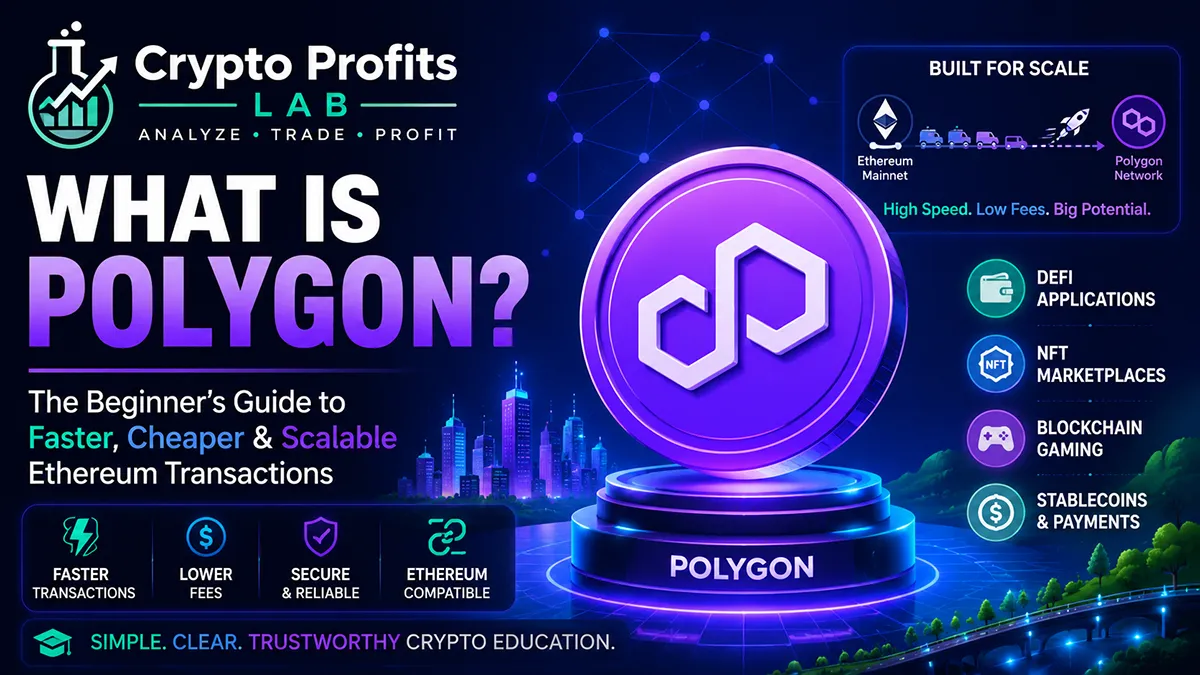
What is Polygon, and why do so many crypto beginners see it mentioned next to Ethereum, DeFi, NFTs, stablecoins, and low transaction fees?
Polygon is a blockchain network built to help Ethereum scale. In simple terms, it gives users and developers a faster, cheaper way to use Ethereum-compatible apps without having to execute every transaction directly on the Ethereum mainnet. That matters because Ethereum can become expensive when many people are using it at the same time.
For beginners, Polygon can be confusing because it has changed over time. It was originally known as Matic Network, and many people still remember the older MATIC token name. Polygon’s upgraded network token is now POL, although you may still see older references to MATIC on exchanges, wallets, and older articles.
This guide explains what is Polygon in plain English. You will learn how it works, why it matters, how it connects to Ethereum, what POL is used for, what risks beginners should understand, and how to research Polygon before buying or using it.
This article is for education only. It is not financial, investment, tax, or legal advice.
Quick Answer: What is Polygon?
What is Polygon? Polygon is an Ethereum-compatible blockchain network designed to make crypto transactions faster and cheaper than on the Ethereum mainnet. It is often used for DeFi apps, NFT marketplaces, games, stablecoin transfers, and other blockchain activity that benefits from lower fees.
The easiest way to understand Polygon is this:
Ethereum is like a busy main highway. Polygon is like a connected faster lane that helps move transactions more cheaply while still staying connected to the Ethereum ecosystem.
Polygon is not the same thing as Ethereum, but it is built to work with Ethereum tools. That means many apps, wallets, and smart contracts that operate on Ethereum can also be compatible with Polygon.
If you are new to crypto, start with What Is Cryptocurrency?, Blockchain Technology, and What Is Ethereum? before going deeper into Polygon.
Key Takeaways
- Polygon is an Ethereum-compatible blockchain network.
- It is designed to help reduce fees and improve transaction speed.
- Polygon is widely used for DeFi, NFTs, games, payments, and apps.
- The older token name MATIC has been upgraded toward POL.
- Polygon uses its network token to pay gas fees and fund network activity.
- Polygon is connected to Ethereum, but it is not the same as Ethereum.
- Beginners must understand wallets, bridges, gas fees, and network selection.
- Polygon can be useful, but it still carries crypto market and security risks.
Beginner Facts Table
| Topic | Beginner Explanation |
|---|---|
| Polygon | Ethereum-compatible blockchain network |
| Original name | Matic Network |
| Older token | MATIC |
| Upgraded token | POL |
| Main purpose | Faster, cheaper Ethereum-compatible transactions |
| Common uses | DeFi, NFTs, games, stablecoins, apps |
| Wallet needed | Yes, for direct blockchain use |
| Main risk | Volatility, wallet mistakes, scams, bridges, app risk |
| Beginner rule | Always confirm the network before sending funds |
Why Polygon Exists
To understand what is Polygon, you first need to understand Ethereum’s challenge.
Ethereum is one of the most important blockchains in crypto. It supports smart contracts, tokens, NFTs, DeFi apps, stablecoins, and many crypto tools. But when Ethereum gets busy, transaction fees can become expensive. This can make simple actions costly for beginners.
For example, swapping tokens, minting an NFT, moving stablecoins, or interacting with DeFi may require gas fees. On the Ethereum mainnet, gas fees can rise when many users compete for block space.
Polygon was created to help solve this problem. It gives users and developers a way to use Ethereum-compatible applications with lower fees and faster transactions.
This does not mean Polygon removes all risk. It means Polygon tries to make blockchain activity more practical for everyday users and apps that need lower-cost transactions.
If gas fees are new to you, read What Are Crypto Gas Fees? before using any blockchain app.
How Polygon Works With Ethereum
The official Polygon documentation explains that Polygon PoS is an EVM-compatible sidechain for Ethereum that helps increase throughput and reduce transaction costs.
That sentence has a few terms that beginners should understand.
EVM means Ethereum Virtual Machine. In simple terms, it is the software environment that lets Ethereum-style smart contracts run. If a blockchain is EVM-compatible, many Ethereum tools and apps can work with it more easily.
A sidechain is a separate blockchain that runs alongside another blockchain. Polygon PoS runs separately from the Ethereum mainnet, but it is designed to connect with Ethereum.
This setup allows Polygon to process transactions at a lower cost while remaining part of the broader Ethereum ecosystem.
A simple way to think about it:
- The Ethereum mainnet is the primary network.
- Polygon processes transactions on its own network.
- Polygon connects back to Ethereum through checkpoints and bridge systems.
- Users can move assets between networks when needed.
This connection is powerful, but beginners must be careful. Moving assets between networks can lead to mistakes if you choose the wrong chain, wallet, or bridge.
Polygon PoS Explained
Polygon PoS is one of the best-known parts of the Polygon ecosystem. PoS stands for proof of stake. Proof of stake is a way for a blockchain network to help confirm transactions and secure the network.
In beginner terms, Polygon PoS is the network many users mean when they say they are “using Polygon.”
It is popular because it can support Ethereum-style apps with lower fees. Users often interact with Polygon through wallets, exchanges, NFT platforms, stablecoin transfers, and DeFi apps.
Polygon PoS has been adopted by many crypto projects because it makes it easier for users to process smaller transactions when fees are low. Paying a large gas fee for a small transaction does not make sense for most beginners.
However, lower fees do not mean zero risk. You still need to use trusted wallets, verify app links, understand token approvals, and avoid scams.
For wallet basics, read Crypto Wallet and Crypto Private Key.
What Is POL?
A major question for beginners is whether Polygon uses MATIC or POL.
Polygon was originally associated with the MATIC token. Over time, the project began upgrading from MATIC to POL as part of its broader network evolution. POL is the upgraded token designed to support Polygon’s new direction.
In simple terms, beginners may still see both names because crypto platforms, wallets, and older educational content do not always update at the same speed.
POL is used as the network token for Polygon activity, including gas fees on Polygon PoS. Gas fees are the small transaction costs paid when using a blockchain.
If you are using an exchange, check what the platform currently supports. If you are using a wallet, make sure you understand which network you are on and which token is needed for gas.
This is one reason beginners should move slowly. A token name change can be confusing, and sending funds on the wrong network can create problems.
For broader token research, read What Is Tokenomics?.
What Happened to MATIC?
When beginners ask what is Polygon, they often ask what happened to MATIC.
MATIC was the original token associated with Polygon. As Polygon evolved, the project introduced POL as the upgraded token. The migration from MATIC to POL was designed as a 1-to-1 upgrade process.
An important point for beginners is that older articles, old wallet displays, exchange screens, and older social media posts may still mention MATIC. Newer official Polygon information may use POL.
Do not assume every wallet or exchange handles the upgrade the same way. Some platforms may manage token changes automatically. Others may require user action. Always check the official exchange or wallet instructions before doing anything.
Never use random links from social media to migrate tokens. Token migration scams are common because scammers know users are confused.
If a website asks for your seed phrase or private key, leave immediately.
Read Crypto Seed Phrase and Crypto Scams to Avoid before interacting with migration pages or wallet prompts.
What Polygon Is Used For
Polygon is used for many blockchain activities where speed and lower fees matter.
Common uses include:
- Sending and receiving tokens
- Paying lower gas fees
- Using DeFi apps
- Buying or trading NFTs
- Playing blockchain games
- Moving stablecoins
- Testing Ethereum-compatible apps
- Using tokenized assets
- Connecting wallets to decentralized apps
- Supporting high-volume crypto applications
For example, someone might use Polygon to move a stablecoin more cheaply than using the Ethereum mainnet. A game might use Polygon because players need frequent small transactions. An NFT project might use Polygon because minting and trading can be cheaper.
This does not mean every Polygon app is safe. The network may be useful, but each app, token, wallet, and marketplace still needs research.
To learn related concepts, read What Is DeFi?, What Are NFTs?, and What Are Stablecoins?.
Polygon and Smart Contracts
Polygon supports smart contracts. A smart contract is a program that runs on a blockchain and follows coded rules.
Smart contracts can power token swaps, lending apps, NFT marketplaces, games, and other blockchain tools. Because Polygon is Ethereum-compatible, many developers can build apps using tools similar to the Ethereum ecosystem.
This is part of why Polygon became popular. Developers could build Ethereum-style apps while offering users lower transaction costs.
For beginners, the key point is that smart contracts are powerful but not risk-free. A smart contract can contain bugs. A fake website can trick you into signing a dangerous transaction. A bad token approval can give a scam contract permission to move tokens from your wallet.
Before connecting a wallet to any Polygon app, read Smart Contracts and Crypto Safety Tips.
Polygon and DeFi
DeFi means decentralized finance. It includes crypto apps for swapping, lending, borrowing, yield strategies, and liquidity pools.
Polygon is used by some DeFi apps because low fees make smaller transactions more practical. A beginner might see Polygon supported in decentralized exchanges, lending apps, and wallet interfaces.
However, DeFi adds extra risk. A user may face smart contract risk, liquidity risk, token risk, bridge risk, and wallet approval risk.
For example, if you swap tokens on a decentralized exchange, you may need to approve a token before trading. That approval can be safe on a trusted app, but dangerous on a fake website.
Beginners should not chase high yields just because fees are low. Lower fees make transactions easier, but they do not make risky strategies safe.
Read Crypto Liquidity and What Is Aave? before using DeFi tools.
Polygon and NFTs
Polygon is also used for NFTs. NFTs are unique blockchain tokens that can represent digital collectibles, game items, memberships, art, or access passes.
NFT creators and marketplaces may choose Polygon because lower fees can make minting and trading more affordable. This can matter when users are buying lower-cost collectibles or game items.
However, NFT risk still applies. A collection may lose value. A fake collection may copy a real project. A scam link may lead to a wallet-draining website. Buying an NFT also does not automatically mean you own copyright or commercial rights.
Polygon can make NFT transactions cheaper, but it cannot guarantee that an NFT project is valuable or safe.
If you are new to NFTs, read What Are NFTs? before buying or minting.
Step-by-Step: How a Beginner Might Use Polygon
This example is educational, not a recommendation.
Step 1: Learn the basics first
Before using Polygon, understand crypto, blockchain, wallets, and Ethereum.
Start with What Is Cryptocurrency? and Blockchain Technology.
Step 2: Choose a wallet that supports Polygon
Many crypto wallets support multiple networks. Make sure the wallet supports Polygon and displays the correct network.
Step 3: Get the correct gas token
To use Polygon directly, you usually need a network token to pay gas. Beginners should check whether the wallet or exchange uses POL, MATIC, or another label depending on platform updates.
Step 4: Confirm the network
Before sending or receiving funds, confirm you are using the Polygon network. Do not assume that all stablecoins or tokens are on the same chain.
Step 5: Send a small test transaction
Never send a large amount first. Use a small test transaction to make sure the address and network are correct.
Step 6: Use trusted apps only
If you connect your wallet to an app, verify the URL from official sources. Avoid links from direct messages, ads, or comments.
Step 7: Track records
Transactions, swaps, rewards, and sales may matter for taxes. Keep records from the beginning.
Read Crypto Taxes for Beginners before you need to reconstruct old transactions.
Polygon vs Ethereum
Polygon and Ethereum are connected, but they are not the same.
Ethereum is the base smart contract network. Polygon is an Ethereum-compatible network designed to improve speed and reduce costs for many types of transactions.
Here is a simple comparison:
| Feature | Ethereum | Polygon |
|---|---|---|
| Main role | Base smart contract network | Ethereum-compatible scaling network |
| Fees | Can be higher during busy periods | Usually lower |
| Speed | Depends on Ethereum network conditions | Often faster for common transactions |
| Token | ETH | POL |
| Common use | Apps, DeFi, NFTs, tokens, settlement | Lower-cost apps, DeFi, NFTs, transfers |
| Beginner risk | Gas fees, app risk, wallet mistakes | Network mistakes, bridge risk, app risk |
Ethereum may be more established as a base layer, while Polygon is often used when users want cheaper transactions in the Ethereum ecosystem.
To compare other networks, you may also want to read What Is Solana?, What Is Avalanche?, and What Is Cardano?.
Polygon vs Solana
Beginners may compare Polygon and Solana because both are often associated with faster and cheaper transactions.
Polygon is Ethereum-compatible and connected to the Ethereum ecosystem. Solana is a separate blockchain with its own design, tools, wallets, and developer ecosystem.
A simple comparison:
| Topic | Polygon | Solana |
|---|---|---|
| Connection | Ethereum-compatible | Separate blockchain ecosystem |
| Common goal | Scale Ethereum-style activity | High-speed blockchain activity |
| Wallet setup | Polygon-compatible wallets | Solana-compatible wallets |
| Token | POL | SOL |
| App risk | Smart contracts and wallet approvals | Smart contracts and wallet approvals |
| Beginner issue | Network selection and bridges | Wallet/network learning curve |
Neither network is automatically better for every user. They have different designs and risks.
If you want to compare more, read What Is Solana?.
Benefits of Polygon
Polygon can be helpful because it offers Ethereum-compatible activity at lower cost.
Potential benefits include:
- Lower transaction fees
- Faster transactions
- Ethereum wallet compatibility
- Smart contract support
- DeFi and NFT access
- Stablecoin transfers
- Developer familiarity
- Large ecosystem awareness
- Practical use for smaller transactions
These benefits are why many users and developers have explored Polygon.
But beginners should remember that a useful network does not make every token on that network safe. Scams can exist on real blockchains. Fake apps can copy real brands. Low fees can make it easier for both legitimate projects and scammers to operate.
Education still matters.
Risks of Polygon
Polygon has risks like every crypto network.
Common risks include:
- POL price volatility
- Wallet mistakes
- Wrong-network transfers
- Bridge risk
- Smart contract bugs
- Fake apps
- Scam tokens
- Token migration confusion
- DeFi losses
- NFT speculation
- Exchange support differences
- Regulatory uncertainty
The biggest risks for beginners are often not technical. They are simple mistakes: sending funds to the wrong network, clicking fake links, approving unknown contracts, or buying because of hype.
If you are learning what is Polygon because you are thinking about buying POL, do not skip wallet safety and market research.
Read Market Cap Crypto, Crypto Volatility, and Crypto Portfolio for Beginners before making portfolio decisions.
Common Beginner Mistakes
The first mistake is confusing Polygon with Ethereum. Polygon is Ethereum-compatible but a separate network.
The second mistake is confusing MATIC and POL. Older content may mention MATIC, while newer Polygon information may use POL.
The third mistake is sending tokens on the wrong network. A token may exist on Ethereum, Polygon, Arbitrum, Solana, or another network. Always confirm the chain.
The fourth mistake is using random bridge links. Bridges can be useful, but fake bridge websites are common.
The fifth mistake is thinking lower fees mean lower risk. Low transaction costs do not protect you from scams, bugs, or bad tokens.
The sixth mistake is buying because a token is associated with a popular ecosystem. Research market cap, tokenomics, liquidity, and real usage.
The seventh mistake is ignoring gas fees. Even low-fee networks still require the correct gas token.
Safety and Risk: What Beginners Should Know
Polygon can be useful, but beginners need a safety checklist.
Before using Polygon, ask:
- Do I understand which network I am using?
- Do I know whether the token is POL or an older MATIC reference?
- Am I using an official wallet or a trusted exchange?
- Did I verify the app URL?
- Am I avoiding links from direct messages?
- Do I have the correct gas token?
- Am I sending a small test transaction first?
- Do I understand the token I am buying?
- Am I protecting my seed phrase?
- Am I keeping records?
Never share your seed phrase or private key. No legitimate Polygon app, exchange support agent, wallet support agent, or migration page should ask for it.
If you are unsure, stop and research more. A slow decision is better than a fast wallet mistake.
How to Research Polygon Before Buying
If you are researching Polygon as an investment, do more than check the price chart.
Beginner research questions include:
- What is Polygon trying to solve?
- How does Polygon connect to Ethereum?
- What is POL used for?
- How did the MATIC-to-POL upgrade affect users?
- How active is the Polygon ecosystem?
- What apps use Polygon?
- What is the market cap?
- How liquid is POL?
- What are the risks?
- Where can POL be safely stored?
- Does Polygon fit my crypto portfolio?
This is where internal research guides can help.
Read What Is Tokenomics?, Crypto Liquidity, and Crypto Portfolio for Beginners before buying smaller or more complex crypto assets.
Final Thoughts
What is Polygon? Polygon is an Ethereum-compatible blockchain network designed to make crypto transactions faster and cheaper while staying connected to the Ethereum ecosystem. It is used for DeFi, NFTs, stablecoins, gaming, apps, and other blockchain activity where lower fees matter.
Polygon can be useful for beginners to understand because it shows how crypto networks try to solve real problems like high fees and slow transaction activity. But Polygon is not risk-free. Users still need to understand wallets, gas fees, bridges, smart contracts, token approvals, scams, and market volatility.
The most important beginner lesson is simple: learn before you use or buy. Understand Ethereum first. Learn wallet safety. Confirm the network. Use small test transactions. Avoid random links. Research POL carefully before making portfolio decisions.
Crypto Profits Lab is built to make crypto easier for beginners by explaining one concept at a time. If you want to keep learning, your next best reads are What Is Ethereum?, Smart Contracts, and Crypto Wallet.
FAQ: What is Polygon?
What is Polygon in simple terms?
Polygon is an Ethereum-compatible blockchain network designed to make crypto transactions faster and cheaper than directly on the Ethereum mainnet. It is often used for DeFi apps, NFTs, stablecoins, games, and other blockchain tools. Beginners can think of Polygon as a connected network that helps scale Ethereum-style activity while lowering transaction costs for many common crypto actions.
Is Polygon the same as Ethereum?
No, Polygon is not the same as Ethereum. Ethereum is a base smart-contract blockchain, while Polygon is a separate Ethereum-compatible network designed to support faster, cheaper transactions. Polygon works with many Ethereum tools, wallets, and apps, but users must still select the correct network. Sending tokens on the wrong network can create problems.
What is POL on Polygon?
POL is the upgraded network token used in the Polygon ecosystem. It replaced the older MATIC token as part of Polygon’s newer direction. POL is used for network activity, including gas fees on Polygon PoS. Beginners may still see MATIC mentioned in older articles, exchange pages, or wallet screens, so it is important to check official instructions before moving or migrating tokens.
What happened to MATIC?
MATIC was the original token associated with Polygon. Polygon later introduced POL as the upgraded token. The migration was designed as a 1-to-1 upgrade process, but exchanges and wallets may handle the change differently. Beginners should avoid random migration links, never share seed phrases, and only follow official instructions from trusted wallets, exchanges, or Polygon resources.
Why are Polygon fees lower than Ethereum?
Polygon fees are usually lower because Polygon processes transactions on its own network instead of doing every transaction directly on the Ethereum mainnet. This can reduce congestion and make smaller transactions more practical. Lower fees are useful for DeFi, NFTs, games, and stablecoin transfers. However, low fees do not remove risks such as scams, bad approvals, or token volatility.
Is Polygon good for beginners?
Polygon can be useful for beginners to learn because it shows how Ethereum-compatible scaling networks work. Lower fees can make small transactions more practical. However, beginners still need to understand wallets, network selection, gas tokens, bridges, and scams. Polygon is not automatically safe just because transactions may be cheaper. Learn with small amounts and verify everything first.
Can I use a crypto wallet with Polygon?
Yes, many crypto wallets support Polygon. A wallet lets users send, receive, and interact with Polygon-based assets and apps. Beginners should confirm that the wallet supports the correct network and token. Always protect seed phrases and private keys. Before sending larger amounts, make a small test transaction to confirm the address and network are correct.
What is Polygon used for?
Polygon is used for Ethereum-compatible blockchain activity, including DeFi apps, NFT marketplaces, stablecoin transfers, games, smart contracts, and lower-cost token transactions. Developers may use Polygon when they want Ethereum-style tools at lower transaction costs. Users may choose Polygon for smaller transfers or app interactions, but they should still research each app, token, and wallet connection carefully.
Is Polygon risky?
Yes, Polygon carries risk like all crypto networks. Risks include POL price volatility, wallet errors, cross-network transfers, bridge risks, smart contract bugs, fake apps, scam tokens, and token migration confusion. Beginners should never share seed phrases, avoid random links, use trusted wallets, confirm network details, and research POL before adding it to a portfolio.
Should I buy Polygon?
This depends on your personal goals, risk tolerance, and research. Crypto Profits Lab does not provide financial advice. Before buying POL or any crypto asset, beginners should understand what Polygon does, how POL is used, the market cap, liquidity, tokenomics, wallet storage, and downside risk. Never buy only because of hype, social media posts, or fear of missing out.