What Is Two-Factor Authentication (2FA) in Crypto?
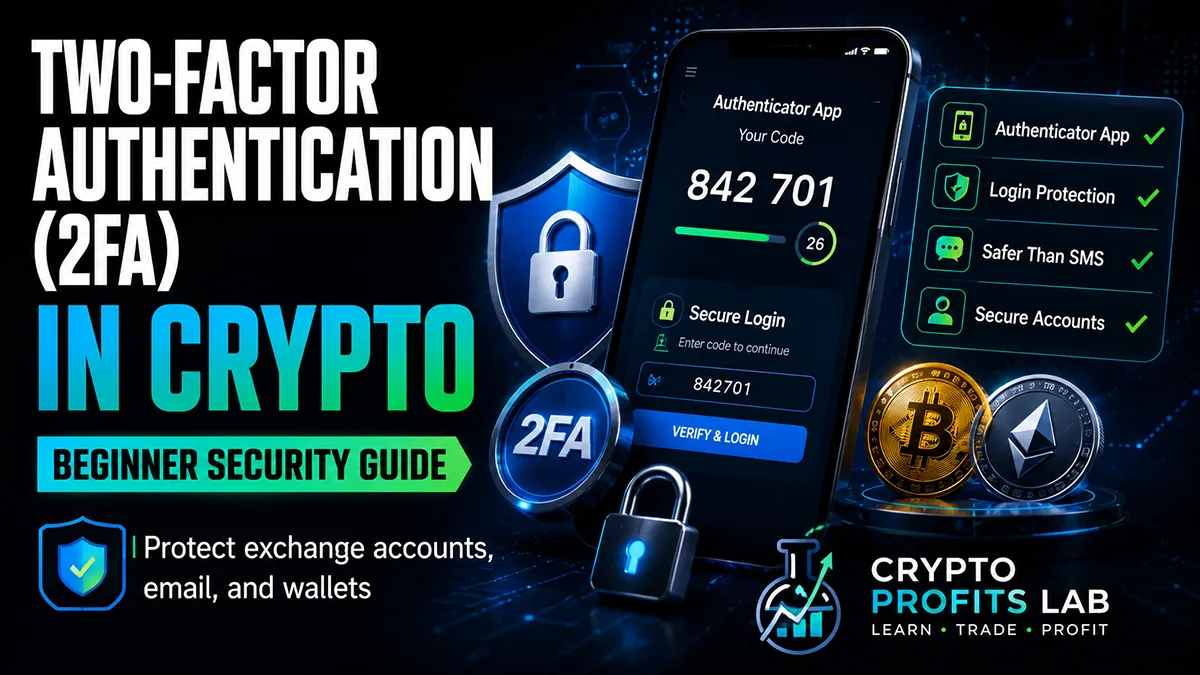
Crypto 2FA is one of the most important security tools beginners can use to protect exchange accounts, wallet apps, email accounts, and other crypto-related logins. It adds a second layer of protection beyond your password, making it harder for attackers to access your accounts.
A password by itself is often not enough. Passwords can be guessed, stolen, reused, leaked in data breaches, or captured through phishing websites. Crypto accounts are especially attractive targets because stolen funds are often difficult or impossible to recover once moved.
Crypto 2FA helps reduce that risk by requiring a second verification step. Even if someone gets your password, they may still need a temporary code, authenticator approval, security key, or biometric confirmation before they can log in.
This beginner guide explains what crypto 2FA is, how it works, which methods are safer, what mistakes to avoid, and how to use two-factor authentication as part of a stronger crypto security plan.
If you are still learning the basics of crypto security, start with our guides on crypto safety tips and crypto seed phrase. Those two topics will help you understand why account protection and wallet recovery protection are both important.
What Is Crypto 2FA?
Crypto 2FA means two-factor authentication used to help protect cryptocurrency accounts, wallets, exchanges, email logins, and related services. It requires two forms of verification before access is granted.
The first factor is usually something you know, such as your password. The second factor is usually something you have, such as a phone, authenticator app, hardware security key, or trusted device.
For example, when you log in to a crypto exchange, you may enter your password first. Then the exchange may ask for a temporary six-digit code from an authenticator app. Without that code, the login cannot continue.
Crypto 2FA is not perfect, but it is much stronger than using only a password. For beginners, turning on 2FA should be one of the first security steps before buying, trading, staking, or transferring crypto.
If you are still choosing where to buy crypto, read our guide to the best crypto exchange for beginners. A beginner-friendly exchange should offer strong security settings, including two-factor authentication.
Why Crypto 2FA Matters
Crypto 2FA matters because cryptocurrency transactions are usually irreversible. If a hacker gets into your exchange account and withdraws funds, you may not be able to reverse the transaction the way you might dispute a credit card charge.
Crypto also attracts scammers. Fake exchange websites, phishing emails, fake wallet apps, SIM swap attacks, malicious browser extensions, and fake support agents often target beginners. A strong password helps, but it is not enough by itself.
Crypto 2FA can help protect against:
- Stolen passwords
- Credential stuffing attacks
- Phishing attempts
- Unauthorized logins
- Some account takeover attempts
- Weak or reused passwords
- Login attempts from unknown devices
- Exchange account compromise
However, crypto 2FA does not protect everything. It does not protect a wallet if you share your recovery phrase. It does not reverse transactions sent to scammers. It does not make risky platforms safe. It is one layer in a larger security system.
Before managing larger balances, beginners should also understand crypto scams to avoid and basic crypto wallet safety.
How Two-Factor Authentication Works
Two-factor authentication works by requiring two different proof points before allowing access. The goal is to make account takeover harder.
A basic login without 2FA looks like this:
- Enter username or email
- Enter password
- Access account
A login with crypto 2FA may look like this:
- Enter username or email
- Enter password
- Enter code from authenticator app
- Confirm login
- Access account
That second step creates an extra barrier. If an attacker only has your password, they may still be blocked.
Common second factors include:
- Authenticator app codes
- Push notifications
- Hardware security keys
- Email confirmation codes
- SMS text message codes
- Biometric confirmation
- Backup codes
Some methods are stronger than others. For crypto accounts, an authenticator app or hardware security key is usually better than SMS text messages.
Crypto 2FA Methods Compared
Different 2FA methods offer different levels of convenience and protection. Beginners should understand the tradeoffs before choosing a method.
| 2FA Method | Beginner Friendly? | Security Level | Main Risk |
|---|---|---|---|
| SMS text code | Easy | Low to moderate | SIM swap attacks and phone number theft |
| Email code | Easy | Low to moderate | Email account compromise |
| Authenticator app | Moderate | Strong | Losing phone without backup codes |
| Push notification | Easy | Moderate to strong | Accidentally approving fake login prompts |
| Hardware security key | Moderate | Very strong | Losing the key without a backup option |
| Biometric login | Easy | Depends on platform | Device or account recovery limitations |
For most beginners, an authenticator app is a strong starting point. For users with larger balances, a hardware security key may be worth considering if supported by the exchange or email provider.
CISA has a helpful overview of multifactor authentication and explains that some MFA options provide stronger protection than others.
Authenticator App vs SMS 2FA
Many beginners start with SMS 2FA because it feels simple. The exchange sends a code by text message, and the user types it in. While this is better than no 2FA, it is not the strongest option.
SMS codes can be vulnerable to SIM swap attacks. In a SIM swap, an attacker convinces a mobile carrier to move your phone number to a different SIM card or device. If they control your phone number, they may receive your text codes.
Authenticator apps are usually safer because they generate codes directly on your device. They do not depend on your mobile carrier receiving a text message.
Common authenticator apps include:
- Google Authenticator
- Microsoft Authenticator
- Authy
- 1Password authenticator features
- Other trusted password manager authenticators
When setting up an authenticator app, save your backup codes offline. If you lose your phone and do not have backup codes, account recovery can become difficult.
Best Accounts to Protect With Crypto 2FA
Crypto 2FA is not only for exchange accounts. Beginners should protect every account connected to crypto activity.
Important accounts to protect include:
- Crypto exchanges
- Email accounts
- Wallet apps that support login protection
- Password managers
- Cloud storage accounts
- Banking apps used for crypto deposits
- Mobile carrier accounts
- Tax software accounts
- Trading apps
- Social media accounts used for crypto communities
Your email account is especially important. If an attacker controls your email, they may reset passwords, intercept exchange messages, and access recovery links. Turn on 2FA for your email before storing meaningful crypto on any platform.
If you are still learning how buying works, read how to buy crypto for beginners before funding an account. Security should come before your first purchase, not after.
How to Set Up Crypto 2FA Safely
The exact setup steps depend on the exchange, wallet app, or account provider. However, the basic process is usually similar.
A typical setup looks like this:
- Log in to your account from the official website or app.
- Go to security settings.
- Choose two-factor authentication.
- Select authenticator app or security key if available.
- Scan the QR code with your authenticator app.
- Enter the temporary code to confirm setup.
- Save backup codes offline.
- Log out and test the login process.
- Store recovery options safely.
Do not rush through setup. The backup codes are important. They may help you regain access if your phone is lost, stolen, damaged, or replaced.
Do not save backup codes in screenshots, email drafts, cloud notes, or text messages. Store them offline in a secure place.
Crypto 2FA and Backup Codes
Backup codes are one-time recovery codes provided by many platforms when you enable 2FA. They are designed to help you regain access if your authenticator app or security key is unavailable.
Backup codes are useful, but they must be protected. Anyone with your password and backup codes may be able to access your account.
Safe backup code storage tips include:
- Write them down clearly.
- Store them offline.
- Keep them separate from your password.
- Do not photograph them.
- Do not upload them to cloud storage.
- Do not share them with anyone.
- Replace used codes if the platform allows it.
Backup codes should be treated like emergency keys. You may not need them often, but if you lose access to your 2FA method, they can be extremely important.
Crypto 2FA vs Crypto Seed Phrase
Crypto 2FA and a crypto seed phrase protect different things. This is a critical beginner lesson.
Crypto 2FA helps protect account logins. It is commonly used for exchanges, email, apps, and online services.
A crypto seed phrase helps restore a self-custody wallet. If someone gets your seed phrase, they may be able to access your wallet even if they do not have your exchange password or 2FA code.
Here is the simple difference:
| Security Tool | What It Protects | Main Beginner Mistake |
|---|---|---|
| Crypto 2FA | Account login access | Using SMS only or losing backup codes |
| Password | First login layer | Reusing weak passwords |
| Crypto seed phrase | Wallet recovery access | Taking screenshots or sharing it |
| Hardware wallet | Private keys and transaction signing | Storing the recovery phrase carelessly |
Do not confuse these tools. Turning on crypto 2FA does not protect you if you give away your seed phrase. Protect both.
To learn more, read crypto seed phrase and hardware wallet.
Crypto 2FA and Hardware Wallets
A hardware wallet is a physical device that helps keep private keys offline. It is different from crypto 2FA, but both can be part of a strong security plan.
Crypto 2FA protects online account access. A hardware wallet helps protect wallet keys and transaction approval. For example, you may use 2FA to secure your exchange account and a hardware wallet to store long-term crypto holdings.
A good beginner security setup may include:
- Strong password for exchange account
- Crypto 2FA using an authenticator app
- Secure email account with 2FA
- Hardware wallet for long-term holdings
- Offline seed phrase storage
- Small test transfers before large moves
If you are comparing storage options, read hot wallet vs cold wallet and best crypto wallet for beginners.
Common Beginner Mistakes With Crypto 2FA
Crypto 2FA is powerful, but beginners can still make mistakes. Avoiding these errors can reduce your risk.
Common mistakes include:
- Not enabling 2FA at all
- Using SMS when an authenticator app is available
- Reusing the same weak password
- Losing backup codes
- Saving backup codes online
- Approving push notifications without checking them
- Clicking fake exchange links
- Trusting fake support agents
- Not securing the email account connected to the exchange
- Ignoring account alerts
Another common mistake is believing that 2FA makes an account impossible to hack. It does not. It improves security, but it cannot protect you from every scam, fake website, or careless approval.
If you receive a login prompt you did not request, do not approve it. Change your password from the official website, review active sessions, and check your account security settings.
Phishing Attacks and Crypto 2FA
Phishing is one of the most common threats in crypto. A phishing attack tricks users into entering passwords, codes, or recovery phrases into fake websites.
Crypto 2FA can help, but some phishing attacks can still capture temporary codes if users type them into a fake login page. This is why you should always verify the website before entering account information.
Protect yourself from phishing by following these habits:
- Bookmark official exchange websites.
- Avoid login links in emails or direct messages.
- Check the domain name carefully.
- Do not click sponsored ads for exchange logins.
- Use an authenticator app instead of SMS when possible.
- Consider a hardware security key if supported.
- Never enter your seed phrase into a website.
- Be suspicious of urgent account warnings.
Phishing-resistant methods, such as security keys and passkeys, can offer stronger protection when available. Beginners do not need to master every advanced method immediately, but they should understand that not all 2FA is equal.
Should Beginners Use a Security Key?
A security key is a physical device used for authentication. Some platforms support security keys as a stronger form of MFA. These keys can reduce phishing risk because they are designed to work only with legitimate websites.
Security keys can be a smart option for:
- Large crypto balances
- Active traders
- Long-term investors
- Users with multiple exchange accounts
- Users who want stronger email security
- People worried about phishing
However, beginners must manage backup access carefully. If you lose your only security key and have no recovery method, you may be locked out of important accounts.
A simple approach is to start with an authenticator app, then consider a security key as your holdings grow or your security needs increase.
Crypto 2FA for Exchanges
Most beginners first encounter crypto 2FA on an exchange. This is where it matters most because exchanges may hold funds, allow withdrawals, and connect to bank accounts.
Before depositing money, check whether the exchange supports:
- Authenticator app 2FA
- Withdrawal confirmations
- Login alerts
- Device management
- Address allowlisting
- Anti-phishing codes
- Security keys
- Backup codes
A good exchange should make security settings easy to find. If a platform does not offer basic account protection, consider that a warning sign.
You can also compare exchange types in centralized vs decentralized exchanges. Centralized exchanges often use account-based security tools like 2FA, while decentralized exchanges rely more heavily on wallet security.
Crypto 2FA for Email Accounts
Your email account may be the most important account to secure. Many exchange password resets, device confirmations, withdrawal notices, and account alerts are connected to email.
If someone controls your email, they may attempt to reset passwords, intercept security messages, or impersonate you. That is why crypto 2FA should be enabled on your email account before you rely on any crypto platform.
Email security tips include:
- Use a strong, unique password.
- Enable 2FA.
- Review recovery email addresses.
- Remove old phone numbers.
- Check account forwarding rules.
- Review logged-in devices.
- Watch for suspicious filters.
- Avoid using public computers for login.
Protecting crypto starts with protecting the accounts connected to it.
Crypto 2FA and Mobile Phone Risk
Your phone can be both helpful and risky. It may hold your authenticator app, exchange app, email, password manager, and text messages. That makes phone security very important.
Basic phone safety tips include:
- Use a strong device passcode.
- Keep your phone software updated.
- Avoid installing unknown apps.
- Lock your SIM card if your carrier supports it.
- Contact your carrier about port-out protection.
- Do not share verification codes.
- Be careful with phone repair shops.
- Back up 2FA recovery options securely.
If you lose your phone, act quickly. Use backup codes if needed, remove the device from important accounts, reset passwords, and review recent activity.
Beginner Crypto 2FA Checklist
Before buying or storing crypto, use this checklist:
- I use a strong password for my exchange.
- I use a different password for my email.
- I enabled crypto 2FA on my exchange.
- I enabled 2FA on my email account.
- I use an authenticator app instead of SMS when possible.
- I saved backup codes offline.
- I bookmarked official exchange websites.
- I do not approve login prompts I did not request.
- I know that 2FA does not protect my seed phrase.
- I understand basic phishing warning signs.
- I review security settings before depositing funds.
This checklist is simple, but it can prevent many beginner mistakes.
Final Thoughts: Crypto 2FA Is a Beginner Security Must
Crypto 2FA is one of the easiest and most important security upgrades beginners can make. It adds a second layer of protection to accounts that may hold funds, personal information, trading access, and withdrawal permissions.
For most beginners, the best starting point is an authenticator app, strong unique passwords, offline backup codes, and 2FA on both the exchange account and email account. SMS is better than no 2FA, but an authenticator app or security key is usually stronger.
Crypto security is not about one perfect tool. It is about layers. Use crypto 2FA for accounts, protect your seed phrase offline, consider a hardware wallet for long-term holdings, avoid phishing links, and stay cautious with every transaction.
The earlier you build these habits, the safer your crypto journey will be.
FAQ: Crypto 2FA
What is crypto 2FA?
Crypto 2FA is two-factor authentication used to protect cryptocurrency accounts and related logins. It requires a second verification step after your password, such as an authenticator app code, security key, or trusted device prompt. This helps reduce the risk of unauthorized access if your password is stolen, guessed, reused, or exposed in a data breach.
Is crypto 2FA necessary for beginners?
Yes, crypto 2FA is strongly recommended for beginners because crypto accounts are common targets for hackers and scammers. A password alone may not be enough to protect an exchange account, email account, or trading app. Enabling 2FA before depositing funds adds an important security layer and helps reduce the chance of account takeover.
Is an authenticator app better than SMS for crypto 2FA?
An authenticator app is usually better than SMS for crypto 2FA because it does not rely on your mobile phone number. SMS codes can be vulnerable to SIM swap attacks, phone number theft, and carrier-based fraud. Authenticator apps generate temporary codes on your device, making them a stronger choice for most crypto beginners.
Can crypto 2FA stop all hacks?
Crypto 2FA cannot stop every hack or scam. It can help prevent unauthorized logins, but it does not protect you if you share your seed phrase, approve a malicious transaction, or enter codes into a fake phishing website. Crypto security works best with multiple layers, including strong passwords, safe browsing habits, wallet protection, and scam awareness.
What happens if I lose my 2FA device?
If you lose your 2FA device, you may need backup codes, account recovery steps, or customer support to regain access. This is why you should save backup codes offline when setting up 2FA. If you still have account access, update your 2FA method immediately. Never store backup codes in email, screenshots, or cloud notes.
Should I use crypto 2FA on my email account?
Yes, you should use 2FA on the email account connected to your crypto exchange or wallet services. Email is often used for password resets, login confirmations, withdrawal alerts, and account recovery. If someone controls your email, they may try to compromise your crypto accounts. Email security is a major part of crypto security.
Is SMS 2FA better than no 2FA?
SMS 2FA is better than having no two-factor authentication, but it is not the strongest option for crypto accounts. SMS can be vulnerable to SIM swaps and phone number attacks. If your exchange or email provider supports an authenticator app or hardware security key, those options are usually safer for protecting cryptocurrency accounts.
Do hardware wallets replace crypto 2FA?
Hardware wallets do not replace crypto 2FA because they protect different parts of your crypto security. Crypto 2FA helps protect online account logins, while a hardware wallet helps protect private keys and transaction approvals. Many users use both: 2FA for exchanges and email, and a hardware wallet for long-term crypto storage.
Can scammers bypass crypto 2FA?
Some scammers can still trick users even when crypto 2FA is enabled. For example, a phishing site may capture your password and temporary 2FA code if you type them into a fake login page. Push notification scams may also trick users into approving fake login attempts. Always use official websites and never approve unexpected login prompts.