What Is a Crypto Phishing Scam? Beginner Safety Guide
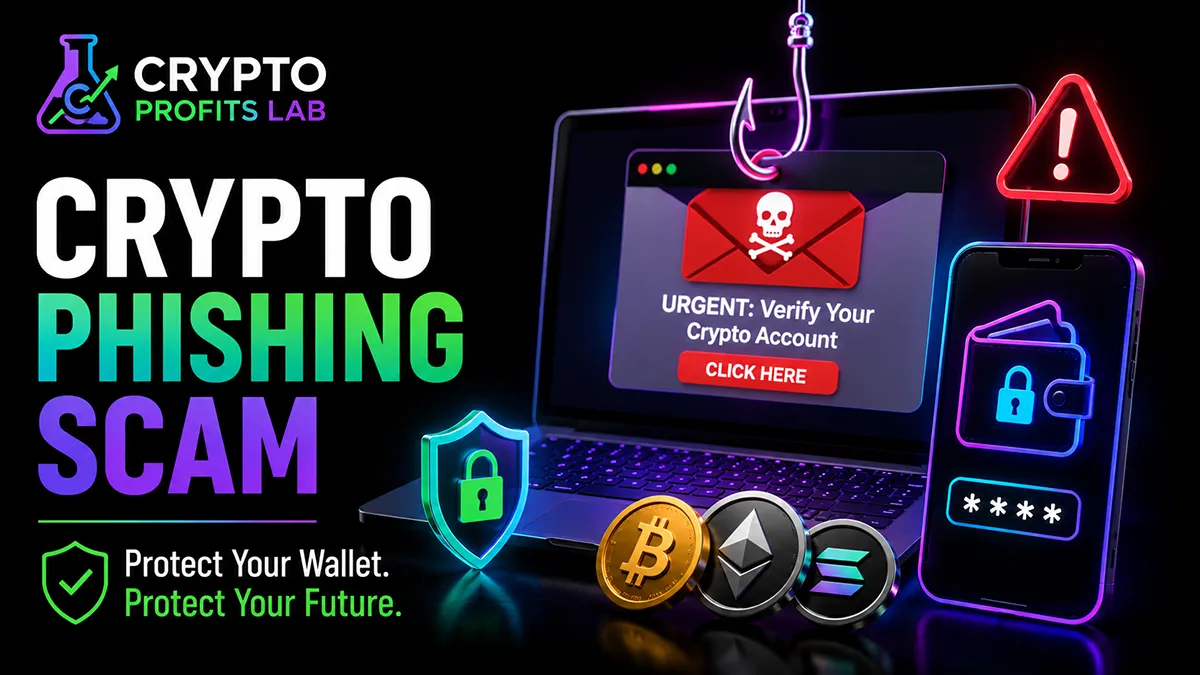
Crypto can give you direct control over digital money, but that control also creates responsibility. A convincing email, text message, social media post, or fake website may be enough to trick an unprepared user into revealing information or approving a harmful action.
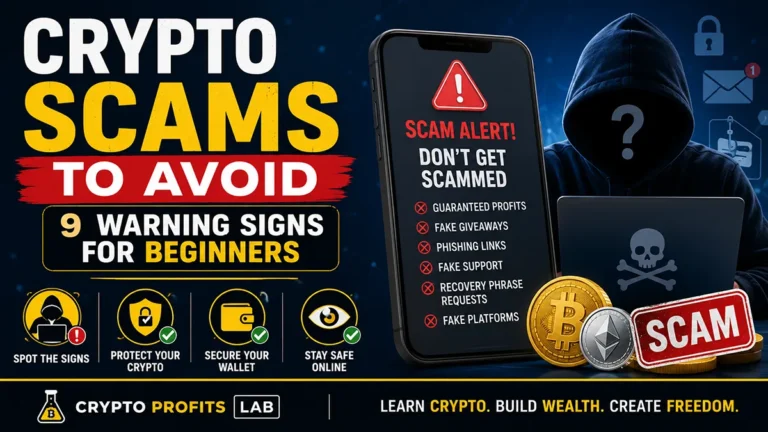
A crypto phishing scam is designed to look trustworthy. The scammer may copy a popular exchange’s logo, impersonate a wallet provider, pose as customer support, or promote a fake token reward. The message usually creates urgency so the victim reacts before checking whether the request is real.
This guide explains how a crypto phishing scam works, the warning signs beginners should recognize, and the steps you can take to protect your wallet and exchange accounts.
Quick Answer
A crypto phishing scam is an attempt to trick someone into revealing login details, sharing a seed phrase, connecting a wallet to a fake website, signing a malicious request, or sending cryptocurrency to a scammer.
The attacker often impersonates a trusted exchange, wallet company, crypto project, government agency, or support team. Receiving a message does not mean your crypto is already stolen. The danger usually begins when you click, download, enter information, approve access, sign something, or send funds.
The safest response is to avoid the link, open the company’s official app or the website you’ve bookmarked yourself, verify the warning through a trusted channel, and never share your seed phrase or private key.
Key Takeaways
- A crypto phishing scam relies on deception rather than breaking the blockchain.
- Scammers often create a sense of urgency with fake account warnings, withdrawal alerts, rewards, or security emergencies.
- A seed phrase or private key should never be entered into a website or shared with support.
- A familiar logo, professional design, or correct personal detail does not prove a message is legitimate.
- Use the official app or a saved bookmark instead of a link in an unexpected message.
- Strong passwords and app-based two-factor authentication can help protect exchange accounts.
- Read every wallet connection, signature request, and token approval before accepting it.
- Crypto transfers are often difficult or impossible to reverse, so pause before sending.
- Report suspicious messages and warn the real company through its official support channel.
Crypto Phishing Scam Beginner Facts
| Question | Beginner-Friendly Answer |
|---|---|
| What is phishing? | Phishing is a form of impersonation that tries to steal information, money, or account access. |
| Does a phishing message mean my wallet is hacked? | No. A message alone does not normally compromise a wallet. Your response to it creates the risk. |
| Can scammers copy a real company’s logo? | Yes. Logos, colors, names, and website designs are easy to copy. |
| Will real support ask for my seed phrase? | No. Anyone who gets your seed phrase can usually control the related wallet. |
| Can a fake site look almost identical to a real one? | Yes. Scammers frequently imitate exchange, wallet, and crypto project websites. |
| Is clicking a link always enough to lose crypto? | Not always, but a link may lead to malware, a fake login page, or a malicious wallet request. |
| Should I reply to verify the sender? | No. Contact the company separately through its official app, website, or saved contact details. |
| What should I do first? | Stop, avoid interacting, and verify the claim independently. |
What Is a Crypto Phishing Scam?
Phishing is a social-engineering attack. “Social engineering” means manipulating a person into taking an action that benefits the attacker.
Instead of trying to defeat blockchain security, a scammer targets the person who controls the account or wallet. The attacker may try to steal:
- An exchange email address and password
- A two-factor authentication code
- A wallet seed phrase
- A private key
- A device passcode
- Personal information used for account recovery
- Permission to spend tokens
- A wallet signature
- A direct crypto payment
A crypto phishing scam can begin almost anywhere. It may arrive through email, text, social media, a messaging app, a search advertisement, a fake mobile app, or a fraudulent website.
The scam works because people naturally trust familiar brands and react quickly to danger. A message saying “Your account will be locked in 30 minutes” creates pressure. A message saying “You received a free airdrop” creates excitement. Both emotions can reduce careful thinking.
How Does a Crypto Phishing Scam Work?
Most attempts follow a simple pattern.
Step 1: The Scammer Chooses an Identity
The attacker impersonates an organization or person the victim might trust. Common examples include:
- A cryptocurrency exchange
- A wallet provider
- A hardware wallet company
- A crypto project
- A blockchain developer
- A customer support representative
- A celebrity or influencer
- A government or law-enforcement agency
- A friend whose account was compromised
The attacker may copy profile pictures, logos, usernames, email layouts, and website colors.
Step 2: The Scammer Creates a Reason to Act
The message typically includes a problem, an opportunity, or a deadline.
Examples include:
- “A withdrawal was requested from your account.”
- “Your wallet must be verified.”
- “Your account has failed identity verification.”
- “Claim your token reward before it expires.”
- “Your wallet is not synchronized.”
- “A security upgrade is required.”
- “You must pay a fee to unlock your funds.”
- “Support needs your recovery phrase to restore access.”
The story may sound technical, but the goal is simple: make you act before you verify.
Step 3: The Victim Is Directed Somewhere
The message may contain a link, a QR code, an attachment, a phone number, or instructions to contact a particular account.
A fake website may ask for exchange credentials. A fraudulent wallet page may ask for a seed phrase. A decentralized application may request a wallet connection or token approval. A fake support agent may ask the victim to share a screen or install remote-access software.
Step 4: The Attacker Collects Access or Money
Once the victim responds, the attacker may:
- Log in to an exchange account
- Change account recovery information
- Transfer crypto
- Import the victim’s wallet using the seed phrase
- Use a malicious approval to move tokens
- Persuade the victim to send crypto voluntarily
- Collect personal data for another scam
A crypto phishing scam may finish within minutes, or the attacker may continue communicating for days to build trust.
Common Types of Crypto Phishing
Understanding the main forms makes suspicious activity easier to recognize.
Fake Exchange Emails and Texts
The message may claim that someone signed in, changed a password, or requested a withdrawal. It includes a button to “secure” the account.
The button may open a fake login page that records the email address, password, and verification code. The attacker can then try those details on the real exchange.
Never use the message’s link to check the account. Open the official exchange app yourself. Beginners can also review how to select and safely use a crypto exchange.
This type of crypto phishing scam works best when the victim is already worried about losing access or money.
Fake Wallet Websites
A scammer may copy the website of a popular software or hardware wallet. The false page might offer a wallet update, recovery tool, or synchronization service.
A legitimate wallet should not require you to type your recovery phrase into a normal website. Your crypto seed phrase is a backup that can restore control of the wallet. Anyone who obtains it may be able to move the funds.
Fake Customer Support
Scammers watch public forums and social media for users asking for help. They respond quickly and claim to work for the exchange or wallet company.
They may ask the user to continue the conversation privately, visit a “validation” site, share a screen, reveal verification codes, or install software.
Official support should never need your seed phrase or crypto private key.
Fake Airdrops and Giveaways
A social post may announce free tokens or promise to multiply any crypto sent to an address. The page might copy the branding of a real project or public figure.
Some false claims ask the user to connect a wallet. Others require a small “verification payment.” Learn how legitimate distributions generally work in the crypto airdrop guide, but remember that even a real-looking campaign must be verified independently.
A reward-based crypto phishing scam uses excitement in the same way that an account-warning scam uses fear.
Malicious Wallet Connections
A fake decentralized application may ask to connect your wallet. Connecting alone does not always transfer funds, but the site may immediately present confusing signature requests or token permissions.
Read each request. A crypto token approval can allow a smart contract to spend a particular token. An unlimited approval may create greater exposure if the contract is malicious.
Search Engine and Advertisement Phishing
A fraudulent website may appear in an advertisement or use a web address that resembles the real domain. The attacker hopes users will search for a wallet, exchange, or decentralized application and click without checking.
The safest habit is to bookmark official services after verifying them. Do not assume the first result or a sponsored listing is authentic.
QR Code Phishing
A message may include a QR code that opens a fake site or fills in a scammer’s wallet address. QR codes hide the destination until they are scanned.
Before approving a transfer, verify the complete crypto wallet address, the blockchain network, the asset, and the amount.
Fake Security or Recovery Tools
A site may claim it can recover lost funds, remove suspicious tokens, reverse a transaction, or clean a compromised wallet.
The tool may ask for a seed phrase, wallet connection, advance payment, or software download. Recovery scams often target people who are already worried and more likely to trust anyone promising a solution.
Warning Signs of a Crypto Phishing Scam
No single warning sign proves fraud, but several together should make you stop.
Unexpected Contact
You receive a message even though you did not request support, start a withdrawal, or attempt to sign in.
Urgent or Threatening Language
The sender says your funds will be frozen, your account will be closed, or legal action will be initiated unless you act immediately.
Requests for Secret Information
The sender asks for a seed phrase, a private key, a password, a two-factor code, a backup file, or a screen share.
A Suspicious Web Address
The domain may contain extra words, misspellings, unusual endings, added hyphens, or letters that look similar to other characters.
A Link That Does Not Match the Displayed Text
The visible text may show a familiar company name while the actual destination is different. On a computer, hovering over a link may reveal the destination, but do not open it merely to investigate.
A Reward You Did Not Expect
The message offers a surprise giveaway, a token claim, a refund, a staking bonus, or an investment opportunity.
Pressure to Connect a Wallet
The website asks for wallet access before clearly explaining the service.
A Confusing Signature Request
The wallet shows a message or transaction you do not understand. A request that looks free may still grant permissions or confirm an action.
Poor Communication
Spelling mistakes and awkward language can be clues, although polished writing does not prove legitimacy. Modern scams can look professional.
Requests to Keep the Conversation Secret
The sender tells you not to contact the exchange, your bank, family members, or law enforcement.
When several of these signs appear together, treat the message as a possible crypto phishing scam until you verify it independently.
7 Proven Ways to Safely Avoid a Crypto Phishing Scam
Good security does not require advanced technical knowledge. It requires a repeatable routine.
Step 1: Pause Before Acting
Urgency is one of the attacker’s strongest tools. Stop before clicking, replying, scanning, signing, downloading, or sending.
Ask yourself:
- Did I request this message?
- Does the company normally contact me this way?
- Is the sender creating fear or excitement?
- Can I verify the claim without using this link?
A one-minute pause can prevent a costly mistake. A crypto phishing scam becomes less effective when you refuse to follow its deadline.
Step 2: Open the Official Service Separately
Do not use the message’s button or link. Open the exchange or wallet app directly, type a known official address, or use a verified bookmark.
Check whether the alleged warning appears inside the account. Contact support through the official website rather than replying to the original message.
This independent route is one of the most effective defenses against a crypto phishing scam.
Step 3: Check the Sender and Domain Carefully
Look beyond the display name. An email can say “Security Team” even if it comes from an unrelated address.
Check every character in the domain. A lock symbol or “https” only means the connection to that site is encrypted. It does not prove the business behind the site is honest.
Avoid shortened links when you cannot confirm their destination. A carefully copied design can still be part of a crypto phishing scam.
Step 4: Protect Your Seed Phrase and Private Key
A seed phrase is not a customer-support code. It is not needed to receive a refund, verify ownership, remove a token, update a wallet, or investigate a transaction.
Keep recovery information offline and private. Do not store it in an ordinary email, cloud note, social message, or online form.
Anyone asking for it should be treated as a threat.
Step 5: Strengthen Exchange Account Security
Use a long, unique password that is not reused on any other site. A password manager can help create and store unique credentials.
Turn on crypto two-factor authentication. An authenticator app or physical security key is generally stronger than relying only on text messages.
Also secure the email account connected to the exchange. If an attacker controls that inbox, account recovery may become easier.
These protections may prevent a crypto phishing scam from resulting in a successful account takeover, even when a password is exposed.
Step 6: Read Wallet Requests Before Approving
Do not approve a transaction simply because the website says it is required. Compare the website’s explanation with what the wallet displays.
Check:
- Which account is connected
- Which network is selected
- Which token is involved
- Whether an approval has a spending limit
- Whether crypto will leave the wallet
- Whether the request is only a signature or an on-chain transaction
- Whether you understand the purpose
Cancel anything unclear. A genuine service can be revisited after you confirm how it works.
Step 7: Report the Attempt and Delete It
Report the message to the impersonated company through its official support system. Mark the email or text as spam so your provider can improve filtering.
The Federal Trade Commission’s phishing guidance recommends avoiding links and attachments in unexpected messages, contacting the company using details you know are legitimate, using two-factor authentication, and reporting phishing attempts.
After documenting and reporting the message, delete it to avoid accidentally opening it later.
Reporting a crypto phishing scam may also help the real company warn other users.
What to Do If You Responded to a Phishing Attempt
Your next steps depend on what information or permission was exposed.
If You Only Opened the Message
Reading an email or text is not normally the same as giving away wallet access. Do not click anything. Report and delete it.
If You Clicked a Link
Close the page. Do not enter any information, connect a wallet, download any files, or approve browser notifications.
Update your device and security software. Run a trusted malware scan if a file downloaded or the device behaved unexpectedly.
Clicking does not necessarily mean a crypto phishing scam succeeded, but you should check your device and accounts carefully.
If You Entered Exchange Credentials
Go to the real exchange through its official app or bookmarked site. Change the password immediately, starting from a device you trust.
Review:
- Login history
- Active sessions
- Withdrawal addresses
- API keys
- Two-factor settings
- Email and phone details
- Recent trades and withdrawals
Contact official support and secure the connected email account.
If You Shared a Two-Factor Code
Treat the exchange account as exposed. Change the password, end active sessions, replace compromised authentication settings, and contact the exchange.
A two-factor code is temporary, but the attacker may use it immediately.
If You Connected a Wallet
Disconnect the site through the wallet interface. A disconnection stops the website from viewing the current session, but it does not automatically cancel permissions already recorded on the blockchain.
Review recent approvals and transactions using trusted tools. Do not use a link supplied by the suspected scammer.
If You Approved a Token
Revoke suspicious permissions through the wallet’s official tools or a trusted approval-management service supported by the network.
Remember that revoking an approval requires an on-chain transaction and a network fee. Verify the site before connecting.
If You Signed Something
A signature can have different effects. Some prove ownership of an address, while others authorize actions or orders.
Check the exact request and recent wallet activity. Move quickly if the signature may have granted harmful authority, but avoid rushing into another unverified “recovery” service.
If You Shared Your Seed Phrase or Private Key
Assume the wallet is compromised. A new password for the same wallet is not sufficient, as the attacker can recover it using the exposed secret.
Create a completely new wallet with a new seed phrase on a trusted device. Move legitimate assets to new verified addresses and follow the wallet provider’s official guidance. A hardware wallet may improve future key protection, but it cannot make an exposed seed phrase safe again.
If You Sent Cryptocurrency
Save the destination address, amount, date, screenshots, messages, and crypto transaction hash. Contact the exchange or service used for the transfer and report the incident. Do not pay a stranger who promises guaranteed recovery.
Common Beginner Mistakes
Common mistakes include trusting a familiar logo, replying directly to a suspicious sender, calling the first support number found in search results, reusing passwords, approving wallet requests without reading them, and entering a seed phrase on a website.
Another mistake is assuming a hardware wallet blocks every crypto phishing scam. Hardware can protect private keys, but the owner must still verify websites, addresses, approvals, and transaction details.
Safety and Risk Considerations
Receiving a suspicious message is lower risk when you do not interact with it. Clicking a link creates more concern. Entering credentials, connecting a wallet, approving a token, or sharing a code creates high risk. Revealing a seed phrase or private key creates critical risk.
Prepare before a crypto phishing scam appears. Bookmark verified services, record official support routes, keep recovery information offline, and review the crypto safety tips.
Final Thoughts
A crypto phishing scam succeeds by making a false request feel urgent, familiar, or rewarding. The best defense is a repeatable habit: pause, verify independently, protect wallet secrets, use strong account security, read every request, and check every destination.
Crypto Profits Lab keeps crypto education cleaner and easier for beginners. You do not need advanced technical knowledge to become safer. You need clear rules to follow, even when a message looks convincing.
Crypto Phishing Scam Frequently Asked Questions
What is the main goal of a crypto phishing scam?
The main goal is to trick someone into giving the attacker something valuable. That may include an exchange password, a two-factor code, a seed phrase, a private key, wallet approval, a signature, or direct payment. The attacker typically impersonates a trusted company or person and uses urgency to discourage careful thought.
Can opening a phishing email steal my cryptocurrency?
Reading an email alone does not normally authorize a blockchain transfer or reveal your wallet secret. The greater danger begins when you click a link, open an attachment, enter credentials, download software, connect a wallet, approve a request, or send crypto. Report the message, delete it, and verify warnings separately.
Will real crypto support ask for my seed phrase?
No legitimate exchange or wallet support agent should ask for your seed phrase or private key. Those secrets may provide control over a self-custody wallet and are not needed to investigate an account, verify a payment, or issue a refund. Treat anyone requesting them as a likely scammer.
Is connecting a wallet to a phishing site enough to lose funds?
Connecting does not always transfer assets, but it can expose your public address and lead to harmful signature or approval requests. Disconnect from the website and review anything you accepted. If you granted suspicious token permissions, revoke them through a trusted tool that supports the relevant blockchain network.
Can stolen crypto be recovered after a phishing attack?
Recovery is uncertain because cryptocurrency transfers are often irreversible. Contact the exchange or service involved immediately, preserve messages and transaction records, and report the incident to appropriate authorities. Avoid people promising guaranteed recovery for an upfront payment, since victims are often targeted by follow-up recovery scams.