What Is a Blockchain Explorer? A Beginner Guide
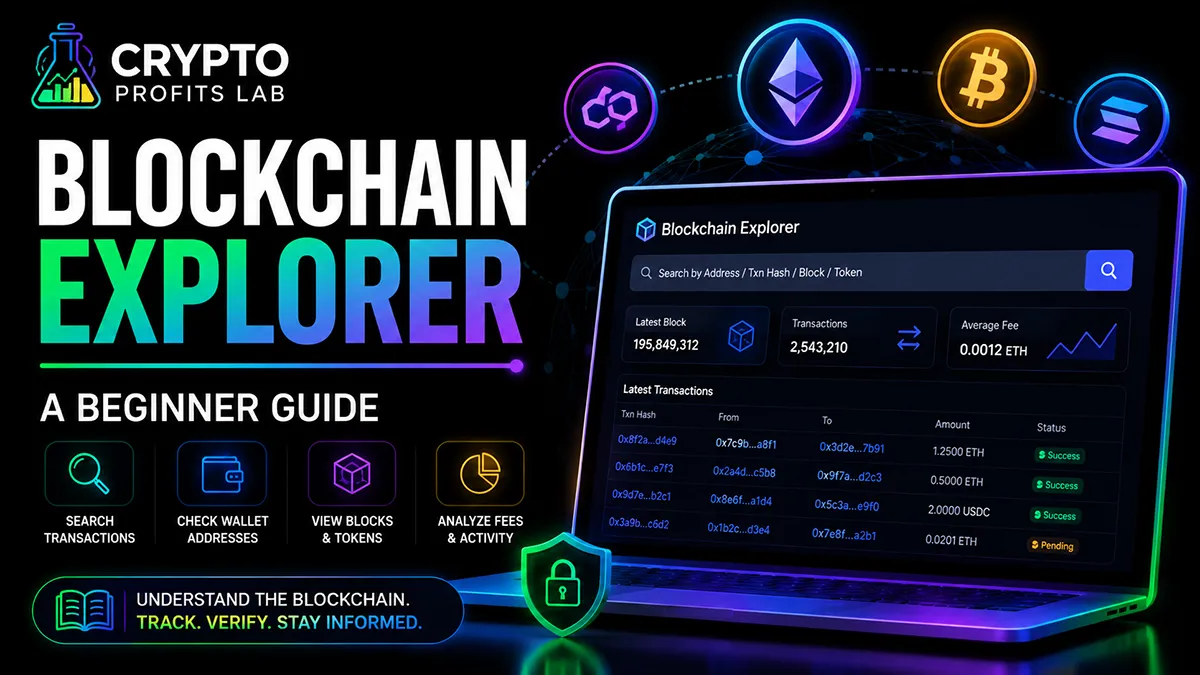
A blockchain explorer is one of the most useful tools beginners can learn in crypto.
At first, crypto transactions can feel invisible. You send coins from one wallet to another, wait for confirmation, and hope everything worked. That can feel stressful if you do not know where to look.
A blockchain explorer helps solve that problem.
It lets you look up public blockchain information such as wallet addresses, transaction IDs, blocks, token transfers, and network activity. You do not need to be a developer to use one. You only need to understand the basics.
This beginner guide explains what a blockchain explorer is, how it works, what information you can check, and how to avoid common mistakes.
Crypto Profits Lab is built to make crypto education cleaner, simpler, and more trustworthy for beginners. This article will keep the explanation practical and easy to follow.
Quick Answer: What Is a Blockchain Explorer?
A blockchain explorer is a search tool for a blockchain.
It lets you look up public crypto activity, including transactions, wallet addresses, blocks, tokens, and fees. You can think of it like a search engine for blockchain data.
If you send crypto and want to know whether the transaction went through, a blockchain explorer can help you check the transaction status. If you want to see activity connected to a wallet address, it can show public records for that address.
The most important beginner point is this:
A blockchain explorer does not control your crypto. It only displays public blockchain information.
It cannot reverse a transaction, recover lost funds, or fix a wrong address. But it can help you understand what happened.
Key Takeaways
- A blockchain explorer is a search tool for public blockchain activity.
- You can use it to check transactions, wallet addresses, blocks, tokens, and fees.
- It does not show your private key or seed phrase.
- It cannot reverse crypto transactions or recover lost funds.
- Each blockchain usually has its own explorer.
- Beginners can use explorers to confirm whether a transaction is pending, successful, or failed.
- A blockchain explorer is helpful, but it should be used carefully with trusted websites only.
Beginner Facts About Blockchain Explorers
| Beginner Question | Simple Answer |
|---|---|
| What is a blockchain explorer? | A tool that lets you search public blockchain data. |
| Is it a wallet? | No. It does not hold your crypto. |
| Can it reverse a transaction? | No. It only displays information. |
| Can anyone use it? | Yes. Public blockchain data can usually be searched by anyone. |
| What can I search? | Wallet addresses, transaction hashes, tokens, blocks, and smart contracts. |
| Does it show my seed phrase? | No. Never enter your seed phrase anywhere. |
| Is every blockchain explorer the same? | No. Different blockchains have different explorers. |
Why Beginners Should Learn This Tool
Many beginners rely only on their exchange or wallet app to understand what happened with a transaction.
That is understandable.
Wallet apps and exchanges are easier to read. They often show simple labels like sent, received, pending, or completed.
But sometimes those labels are not enough.
A transaction may be delayed. A withdrawal may be processing. A wallet may show a balance slowly. An exchange may ask for a transaction ID. A token may not appear in your wallet right away.
A blockchain explorer gives you another way to check.
It helps you look directly at the public blockchain record.
This can make crypto feel less mysterious. It can also help you avoid panic when a transaction is still pending but not lost.
If you are still learning the foundation, read what is blockchain technology first. A blockchain explorer makes more sense once you understand that blockchains are public records of transactions.
How a Blockchain Explorer Works
A blockchain records activity in groups of data called blocks.
Each block contains transactions. Those transactions may include crypto transfers, token swaps, smart contract activity, fees, or other network actions.
A blockchain explorer organizes that public information and makes it searchable.
Instead of reading raw blockchain data, you can use a search box.
You might enter:
- A wallet address
- A transaction hash
- A token contract address
- A block number
- A smart contract address
The explorer then shows information connected to that search.
For beginners, the most common use is checking a transaction.
When you send crypto, your wallet or exchange may give you a transaction ID. This is often called a transaction hash. You can paste that transaction hash into the explorer to see whether the transaction is pending, successful, or failed.
Step-by-Step: How to Use a Blockchain Explorer
Here is a simple beginner process.
Step 1: Identify the Correct Blockchain
Before using a blockchain explorer, you must know which network you are checking.
Bitcoin, Ethereum, Solana, Polygon, Arbitrum, Avalanche, and other blockchains are separate networks.
A transaction on Ethereum will not appear on a Bitcoin explorer. A Polygon transaction will not appear on a Solana explorer.
This is one of the most important beginner details.
If you are checking ETH or an Ethereum-based token, you need an Ethereum explorer. If you are checking BTC, you need a Bitcoin explorer.
If you are unsure which network you used, check your wallet, exchange withdrawal screen, or transaction details.
Step 2: Copy the Transaction Hash
A transaction hash is a long string of letters and numbers that identifies one blockchain transaction.
Think of it like a receipt number.
You may see it in your wallet, exchange withdrawal history, or transaction details page.
Copy the full transaction hash carefully.
Do not type it by hand if you can avoid it.
Step 3: Paste It Into the Search Bar
Open the correct blockchain explorer and paste the transaction hash into the search bar.
Then search.
The explorer should show the transaction page if the transaction exists on that network.
If nothing appears, you may have the wrong network, wrong transaction ID, or a transaction that has not been broadcast yet.
Step 4: Check the Status
Look for the transaction status.
Common labels may include:
- Success
- Pending
- Failed
- Confirmed
- Dropped
- Replaced
A successful transaction means the network accepted it.
A pending transaction means it has not fully confirmed yet.
A failed transaction means the transaction did not complete as intended, though fees may still apply on some networks.
Step 5: Review the Addresses
Most transaction pages show a from address and a to address.
The from address is where the transaction came from.
The to address is where it went.
A wallet address is the public destination used to send or receive crypto. If you need help with that concept, read crypto wallet address.
Always compare addresses carefully.
Do not rely only on memory or a quick glance.
Step 6: Check the Amount and Fee
A transaction page may show the amount transferred and the network fee paid.
On Ethereum and similar networks, fees are often called gas fees. If you are new to that topic, read what are crypto gas fees.
Fees can change based on network demand. A blockchain explorer can help you see what fee was actually paid after the transaction was submitted.
Step 7: Do Not Share Sensitive Information
A blockchain explorer is public.
You can safely search public addresses and transaction hashes.
But you should never enter your seed phrase, private key, password, or recovery words into any website.
No real explorer needs that information.
If a website asks for your seed phrase, leave immediately.
What You Can Check With a Blockchain Explorer
A blockchain explorer can show several types of information.
Transaction Status
This is the most common beginner use.
You can check whether a transaction is pending, successful, or failed. This helps when you send funds from an exchange, move coins to a wallet, or swap tokens.
Wallet Address Activity
You can search a public wallet address and see activity connected to that address.
This may include incoming transfers, outgoing transfers, token balances, and past transactions.
This does not mean you can access the wallet. It only means you can view public activity.
If you are still learning how wallets work, read what is a crypto wallet.
Token Transfers
Some explorers show token movements separately from coin transfers.
For example, on Ethereum, ETH is the native coin, but many tokens also run on Ethereum.
A token transfer may involve SHIB, USDT, LINK, UNI, or another Ethereum-based token.
You can learn more in what is a crypto token.
Smart Contract Activity
A smart contract is a program that runs on a blockchain.
When you use a decentralized exchange, lend crypto, mint an NFT, or interact with a DeFi app, you may be interacting with a smart contract.
A blockchain explorer can sometimes show the contract address, transaction method, and related activity.
For a simple explanation, read what are smart contracts.
Blocks
A block is a group of transactions added to the blockchain.
Most beginners do not need to study blocks every day, but seeing them can help you understand how transactions are organized.
A blockchain explorer usually lets users search block numbers and view the transactions included in each block.
Network Fees
Some explorers show current or past network fees.
This can help you understand whether a network is busy. It can also help you compare the fee you paid with recent activity.
Popular Blockchain Explorer Examples
Different blockchains usually have different explorers.
For Ethereum, one of the most recognized examples is the Etherscan blockchain explorer. It lets users search Ethereum transactions, wallet addresses, tokens, blocks, and other Ethereum network activity.
Other networks have their own explorers.
Bitcoin has Bitcoin-focused explorers. Polygon has Polygon-focused explorers. Solana has Solana-focused explorers. Avalanche has Avalanche-focused explorers.
The important point is not to memorize every explorer.
The important point is to use the correct explorer for the correct network.
If you are using Ethereum, start with an Ethereum explorer. If you are using Bitcoin, use a Bitcoin explorer.
Blockchain Explorer vs Crypto Wallet
A blockchain explorer and a crypto wallet are not the same thing.
A wallet helps you store keys, view balances, send transactions, and interact with crypto.
A blockchain explorer lets you search public blockchain records.
Here is a simple comparison.
| Feature | Blockchain Explorer | Crypto Wallet |
|---|---|---|
| Main purpose | Search public blockchain data | Send, receive, and manage crypto |
| Holds your private keys? | No | Sometimes, depending on wallet type |
| Can send crypto? | No | Yes |
| Shows transaction status? | Yes | Usually yes |
| Requires seed phrase? | No | Self-custody wallets use seed phrases |
| Can reverse transactions? | No | No |
A blockchain explorer is useful for checking information.
A wallet is used to control and move crypto.
Never confuse the two.
Blockchain Explorer vs Exchange History
Your crypto exchange may show a transaction history.
That history is useful, but it may not show everything.
An exchange can show account activity inside its platform. A blockchain explorer shows public on-chain activity.
For example, buying crypto inside an exchange may not immediately create a blockchain transaction visible under your own wallet address. That is because the exchange may manage balances internally until you withdraw funds.
When you withdraw crypto from an exchange to your own wallet, that withdrawal usually creates a blockchain transaction.
If you are new to exchanges, read how to buy crypto for beginners and best crypto exchange for beginners.
Understanding the difference between exchange history and on-chain history can prevent confusion.
How a Blockchain Explorer Helps With Safety
A blockchain explorer can support safer crypto habits.
It can help you confirm whether funds were sent to the correct address. It can show whether a transaction failed. It can help you see whether a token contract is the one you intended to use.
However, it is not a complete security solution.
Scammers can still trick people with fake websites, fake tokens, fake airdrops, and fake wallet support pages.
A blockchain explorer may show what happened after a transaction, but it cannot protect you from approving a bad transaction in the first place.
This is why beginners should also read crypto safety tips and crypto scams to avoid.
Use explorers as a helpful tool, not as your only defense.
Common Beginner Mistakes
Mistake 1: Using the Wrong Explorer
If you search an Ethereum transaction on a Bitcoin explorer, it will not work.
Always match the explorer to the network.
This is especially important when tokens exist on more than one blockchain.
Mistake 2: Thinking a Public Address Means Access
A wallet address is public.
Anyone can search it.
But seeing an address does not mean you can control the wallet.
To control a wallet, someone would need the private key or seed phrase. Never share either one.
Read crypto private key and crypto seed phrase if you need a beginner explanation.
Mistake 3: Panicking Over Pending Transactions
Pending does not always mean lost.
It may simply mean the network is busy or the fee was low.
Before panicking, check the status, confirmations, and network activity.
Mistake 4: Clicking Fake Explorer Links
Scammers may create websites that look like real explorers.
They may ask you to connect your wallet or enter a recovery phrase.
A normal explorer search does not require your seed phrase.
Bookmark trusted sites instead of clicking random links from social media or messages.
Mistake 5: Misreading Token Transfers
Some transactions include several steps.
A token swap, decentralized exchange trade, or smart contract interaction may look confusing on an explorer.
If you do not understand a transaction, slow down before making another one.
Read what is a DEX before using decentralized exchanges.
Safety and Risk Tips for Beginners
A blockchain explorer is a helpful tool, but beginners still need strong safety habits.
First, never enter your seed phrase into any explorer. Your seed phrase is private. It should only be used to recover your wallet in a trusted wallet app or hardware wallet process.
Second, be careful with wallet connections. Most explorer searches do not require connecting your wallet. If a website asks you to connect, make sure you understand why.
Third, do not trust random token links. Scam tokens may appear in wallet activity to lure people into unsafe websites.
Fourth, confirm the network before sending funds. A transaction may be real but still sent on the wrong network.
Fifth, use two-factor authentication on exchange accounts. You can learn more in crypto 2FA.
A blockchain explorer helps you see public data, but safe behavior still matters most.
When Beginners Should Use a Blockchain Explorer
You do not need to use an explorer every day.
But it is helpful in common situations.
Use one when:
- You sent crypto and want to check the status.
- An exchange withdrawal is taking longer than expected.
- A wallet balance has not updated yet.
- You need to copy a transaction hash for support.
- You want to verify a wallet address received funds.
- You want to check gas fees or transaction details.
- You are researching a token contract.
A blockchain explorer is especially helpful when you move crypto from an exchange to your own wallet.
It gives you a way to confirm that the transaction exists on-chain.
Simple Example: Checking a Crypto Transaction
Imagine you send ETH from an exchange to your wallet.
The exchange says the withdrawal was submitted.
You wait a few minutes, but your wallet does not show the funds yet.
Instead of guessing, you can check the transaction.
First, copy the transaction hash from the exchange withdrawal page.
Second, open an Ethereum blockchain explorer.
Third, paste the transaction hash into the search bar.
Fourth, review the status.
If the transaction is successful and the receiving address matches your wallet, the funds may simply need more time to display in your wallet app.
If the transaction is pending, the network may still be processing it.
If the transaction failed, you may need to review what happened or contact the exchange if the withdrawal came from that platform.
This process helps beginners stay calm and informed.
Final Thoughts
A blockchain explorer is one of the simplest tools beginners can use to understand crypto transactions more clearly.
It gives you a way to search public blockchain activity, check transaction status, review wallet address activity, view token transfers, and understand network fees.
It does not hold your crypto.
It does not control your wallet.
It does not reverse mistakes.
But it can help you see what happened on-chain.
That visibility matters.
Crypto becomes less confusing when you know how to check the public record. Instead of guessing whether a transaction worked, you can look it up.
Start slowly. Use trusted explorer websites. Never enter your seed phrase. Always match the explorer to the correct network.
Crypto Profits Lab is here to make beginner crypto education simple, clear, and trustworthy.
Learning how to use a blockchain explorer is a small step that can make you much more confident with wallets, transactions, tokens, and crypto safety.
FAQs About Blockchain Explorers
What is a blockchain explorer?
A blockchain explorer is a search tool that lets users view public blockchain information. Beginners can use it to check transactions, wallet addresses, blocks, token transfers, and fees. It does not hold crypto or control wallets. It simply displays public records from a blockchain in a more readable format.
Do I need a blockchain explorer as a beginner?
You do not need to use one every day, but it is very helpful. A blockchain explorer can confirm whether a transaction is pending, successful, or failed. It can also help you check if funds were sent to the correct wallet address. Beginners who send crypto from exchanges to wallets should learn the basics.
Is a blockchain explorer the same as a wallet?
No. A blockchain explorer is not a wallet. A wallet helps you send, receive, and manage crypto. An explorer only lets you search public blockchain data. It cannot move your funds, store your private keys, or recover lost crypto. Beginners should never enter a seed phrase into any explorer website.
Can a blockchain explorer show my private key?
No. A blockchain explorer does not show private keys or seed phrases. It only displays public blockchain information such as wallet addresses, transactions, and token activity. Your private key and seed phrase must stay secret. Anyone who asks for them may be trying to steal your crypto.
Why does my transaction not show on a blockchain explorer?
A transaction may not show if you are using the wrong explorer, searching the wrong network, or entering the wrong transaction hash. It may also take time for a transaction to be broadcast by a wallet or exchange. Always confirm the network first, then copy and paste the full transaction hash carefully.
Can a blockchain explorer reverse a crypto transaction?
No. A blockchain explorer cannot reverse a transaction. It only shows public blockchain records. If crypto was sent to the wrong address or wrong network, the explorer may help you see what happened, but it cannot recover the funds. Beginners should always check the address, network, and amount before confirming.
Is it safe to search my wallet address?
Searching a public wallet address is usually safe because wallet addresses are already public on most blockchains. However, you should avoid sharing addresses unnecessarily if privacy matters to you. More importantly, never enter your seed phrase, private key, password, or recovery words into any explorer or random website.
Which blockchain explorer should I use?
Use the explorer that matches the blockchain network. Ethereum transactions need an Ethereum explorer. Bitcoin transactions need a Bitcoin explorer. Polygon, Solana, Arbitrum, Avalanche, and other networks have their own explorers. If you use the wrong explorer, your transaction may not appear even if it is real.